Tags:
Node.jsPuppeteerAutomationWeb Scraping
This project involves the creation of three distinct bots using Node.js and puppeteer for different rolls.


Timeline
- 2024-07-06: Project started
- 2024-07-18: Google Sheets Monitor Bot completed
- 2024-07-23: Category Crawler Bot completed
- 2024-07-30: URL Checker Bot completed
Detailed Description
Automated Web Scraping and Data Collection
The "Node 🤖🤖🤖 Bots" project leverages Node.js along with libraries like Puppeteer to automate web scraping, providing an efficient way to collect data from various sources. This system can be tailored to analyze websites, gather content, and perform actions without user intervention. Whether you need to monitor changes in websites, collect critical business data, or extract information for further processing, this bot-driven solution ensures accuracy and speed.
Advanced Monitoring with Dashboard Integration
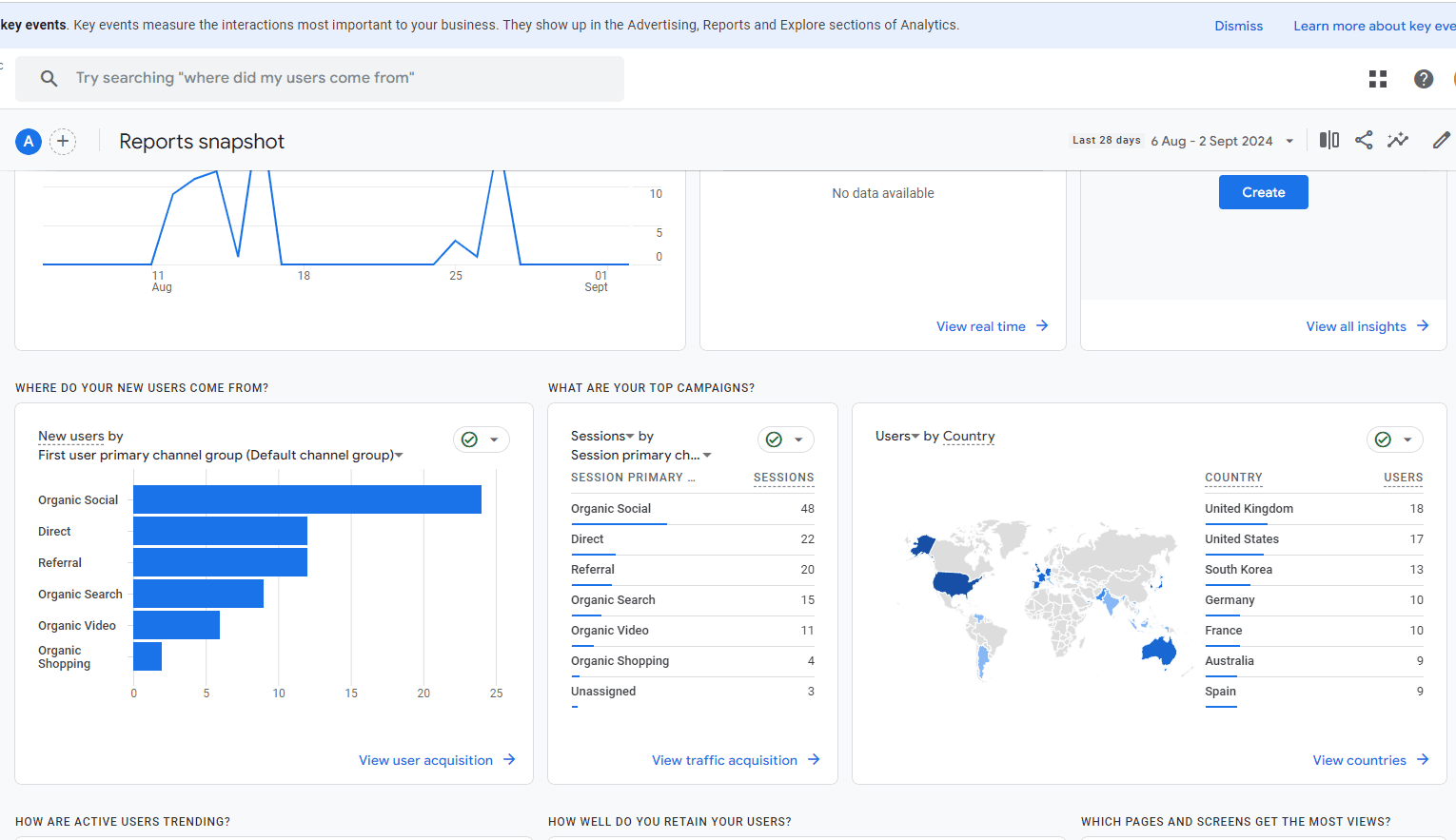
Incorporating real-time monitoring and performance tracking, the Node Bots project integrates an intuitive dashboard where users can monitor bot activities. With features like status updates, error logs, and efficiency reports, users have full control and visibility over their web scraping and automation tasks. The dashboard not only enhances productivity but also provides insights into how effectively the bots are performing in real-time.
Customizable Automation for Targeted Tasks
The Node Bots system is highly customizable, allowing developers to tailor the bots to specific automation tasks. From checking the health of websites to conducting in-depth SEO analysis, the flexibility of Node.js ensures that these bots can adapt to a variety of use cases. Whether your focus is on efficiency, error reduction, or detailed data extraction, this project makes it possible to streamline workflows and automate tedious manual tasks.
async function setupBrowser(proxy, botId) {
    const browser = await puppeteer.launch({
        headless: process.env.HEADLESS === 'true',
        args: [
            `--proxy-server=${proxy.server}:${proxy.port}`,
            '--no-sandbox',
            '--disable-setuid-sandbox',
            '--disable-gpu',
            '--disable-dev-shm-usage',
            '--ignore-certificate-errors',
        ],
    });

    const page = await browser.newPage();

    await page.authenticate({
        username: proxy.username,
        password: proxy.password
    });

    const { userAgent, platform, osInfo } = generateUniqueUserAgent(botId);
    await page.setUserAgent(userAgent);

    await page.evaluateOnNewDocument((userAgent, platform, osInfo) => {
        Object.defineProperty(navigator, 'platform', { value: platform });
        Object.defineProperty(navigator, 'userAgent', { value: userAgent });
        Object.defineProperty(navigator, 'appVersion', { value: osInfo });
        window.outerWidth = 1920;
        window.outerHeight = 1080;
        window.chrome = { runtime: {} };
        const originalRTCPeerConnection = window.RTCPeerConnection;
        window.RTCPeerConnection = function (...args) {
            const pc = new originalRTCPeerConnection(...args);
            pc.createDataChannel = function () { return {}; };
            return pc;
        };
    }, userAgent, platform, osInfo);

    await page.setRequestInterception(true);

    page.on('request', (request) => {
        const url = request.url();
        const resourceType = request.resourceType();

        // Modify headers for all requests
        const headers = request.headers();
        headers['sec-ch-ua-platform'] = `"${platform}"`;
        headers['user-agent'] = userAgent;

        // Block specific resource types
        if (['stylesheet', 'image', 'font', 'media'].includes(resourceType)) {
            request.abort();
        } else {
            request.continue({ headers });
        }
    });

    return { browser, page };
}
Category Crawler Bot
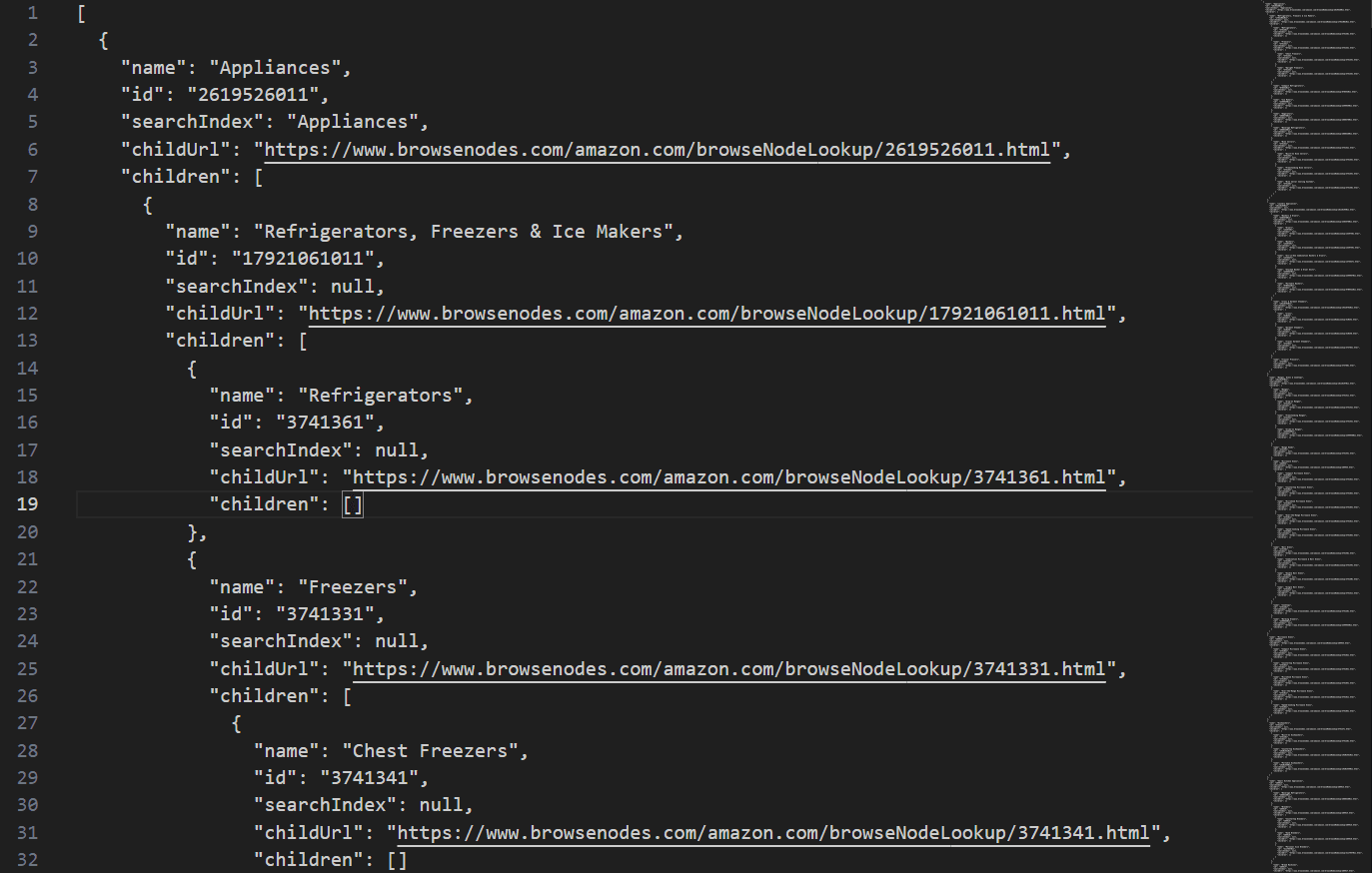
This bot crawls the website browsenodes.com to gather categories and sub-categories, generating a structured JSON file representing the category tree.
async function buildTree(page, url, depth = 0, path = []) {
    try {
        const nodes = await scrapeNode(page, url);
        const newNodes = [];

        for (const node of nodes) {
            if (node.leafNode || processedNodes.has(node.id)) continue;

            processedNodes.add(node.id);

            let newNode = { ...node, children: [] };

            const currentPath = [...path, node.id];
            console.log(`Processing on node: ${currentPath.join(' -> ')} -> ${node.id}`);

            if (node.childUrl) {
                const childUrl = new URL(node.childUrl, url).href;
                newNode.children = await buildTree(page, childUrl, depth + 1, currentPath);
            }

            newNodes.push(newNode);
        }

        // Merge newNodes with currentTree
        for (const newNode of newNodes) {
            const existingNodeIndex = currentTree.findIndex(n => n.id === newNode.id);
            if (existingNodeIndex !== -1) {
                currentTree[existingNodeIndex] = { ...currentTree[existingNodeIndex], children: newNode.children };
            } else {
                currentTree.push(newNode);
            }
        }

        // Write the updated tree to the file after processing all nodes at this level
        await writeTree(OUTPUT_FILE, currentTree);
    } catch (error) {
        console.error(`Error scraping ${url}: ${error.message}`);
        return currentTree;
    }
}
URL Checker Bot
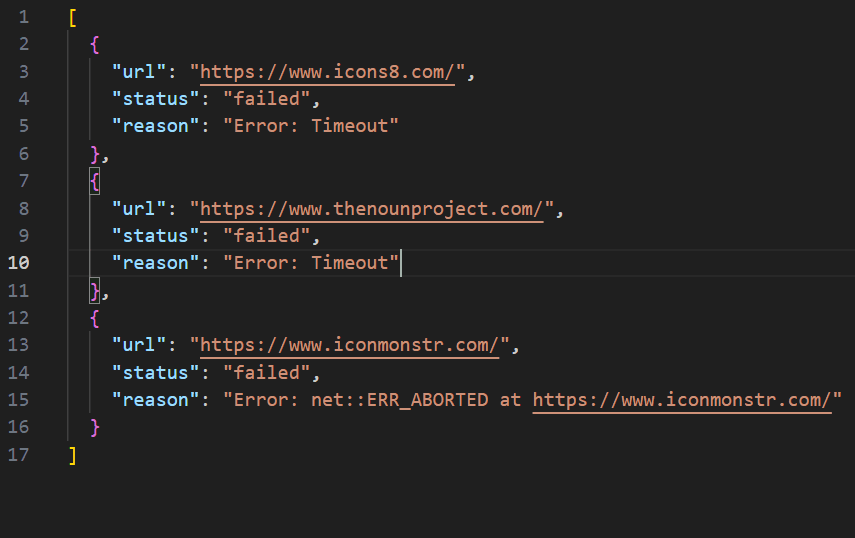
URL Checker Bot: This bot verifies the functionality of URLs by visiting each one to ensure they are working correctly.
async function checkUrlHtmlInIframe(url) {
    const page = await browser.newPage();
    let headers = {};
    try {
        const timeout = 15000; // 15 seconds timeout

        // Disable CSS, images, and other media
        await page.setRequestInterception(true);
        page.on('request', (request) => {
            if (['stylesheet', 'image', 'media', 'font'].includes(request.resourceType())) {
                request.abort();
            } else {
                request.continue();
            }
        });

        // Collect headers
        page.on('response', response => {
            headers = response.headers();
        });

        await page.goto(url, { waitUntil: 'domcontentloaded', timeout });
        const content = await page.content();
        const isWorking = content.trim().length > 0;

        await page.close();
        return { isWorking, headers };
    } catch (error) {
        if (error.name === 'TimeoutError') {
            console.log(`Timeout checking ${url}`);
            await page.close();
            return { isWorking: false, headers, error: 'Timeout' };
        }
        console.error(`Error checking ${url}:`, error.message);
        await page.close();
        return { isWorking: false, headers, error: error.message };
    }
}
Gallery